
Introducing the Wafer Extension for VS Code and Cursor
Wafer is the GPU development stack that lives inside your editor: profiling (NCU), compiler explorer, and enhanced GPU docs.

TLDR: Wafer is a VS Code/Cursor extension that brings GPU development tools into your editor — NCU profiling, compiler explorer (PTX/SASS), and enhanced GPU docs.
Today, we're launching the Wafer extension for VS Code and Cursor.
Wafer is the GPU development stack that lives inside your editor: profiling (NCU), compiler explorer, and enhanced GPU docs.
The tools required to write GPU kernels are fragmented and isolated. You edit code in one place, profile in another, go through docs in a browser, open a separate compiler explorer, and ask questions to a generic LLM that does not understand GPUs deeply.
Wafer pulls the whole loop back into your IDE.
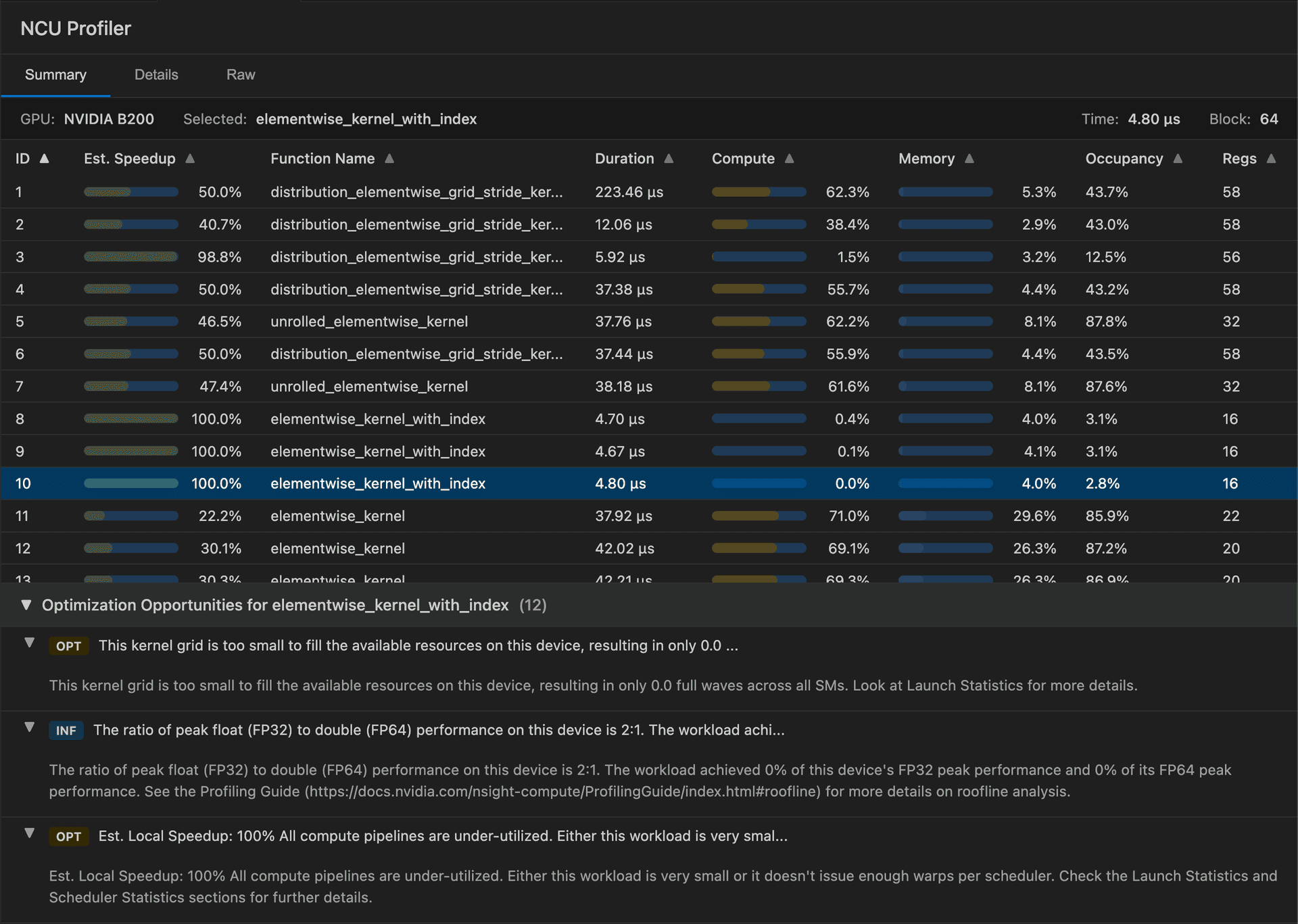
Run NCU profiles directly in your editor
Most kernel optimization starts with profiling, but the workflow is annoying:
- run the command
- find the right report
- flip between tools
- manually extract the important counters
With Wafer, you can run NVIDIA Nsight Compute (ncu) from your IDE and view results where you write code.
Compiler Explorer for CUDA
Performance work gets real when you stop guessing what the compiler did.
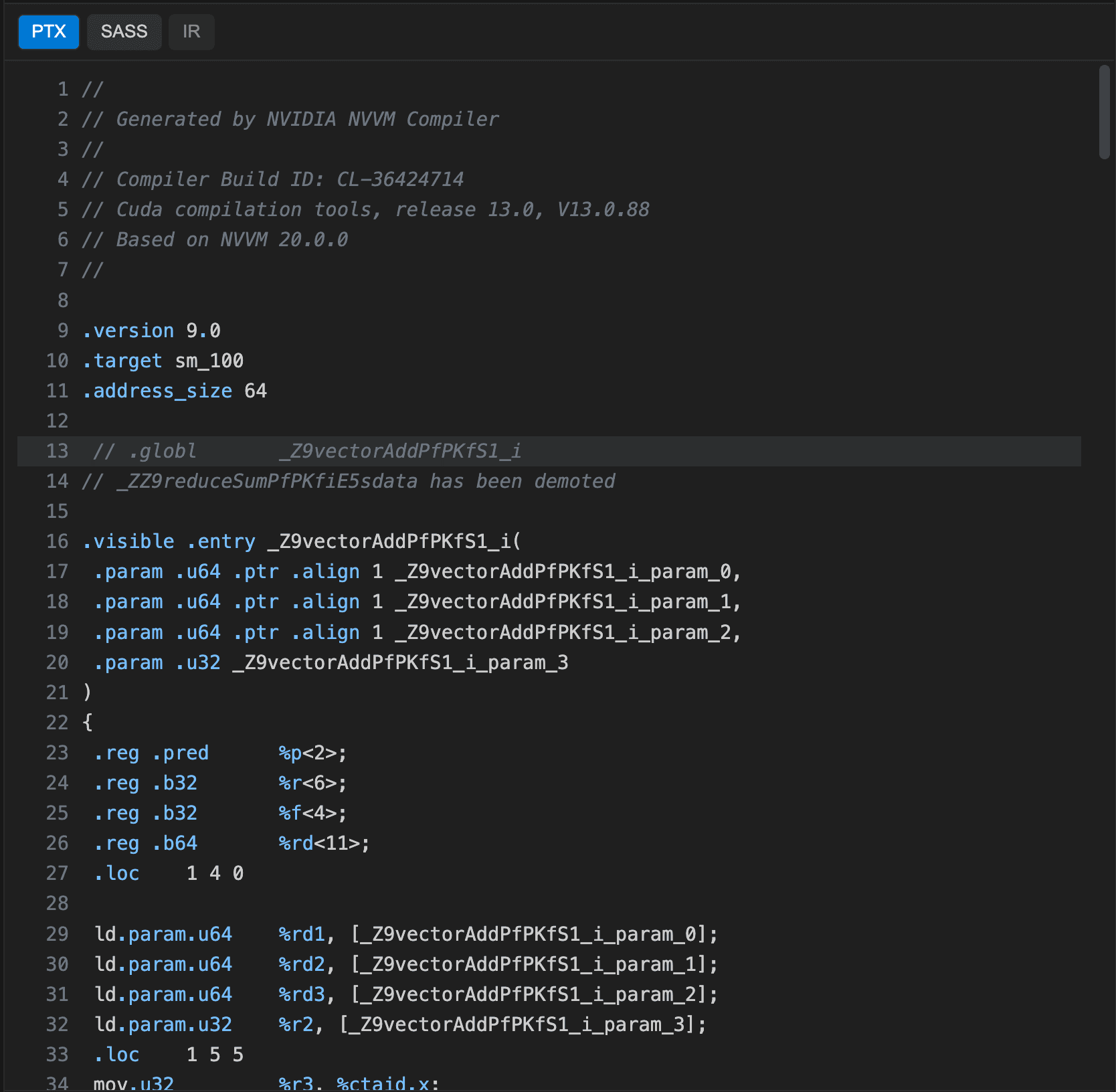
Wafer includes a Compiler Explorer built into your editor:
- compile CUDA
- inspect PTX and SASS
- see output mapped back to source
Change a line. Recompile. Compare what changed in PTX/SASS. Iterate fast.
GPU Docs that answer the hard questions
GPU optimization has a documentation problem. The answers exist, but they are buried across programming guides, API references, architecture notes, and libraries like CUTLASS.
Wafer includes GPU Docs: fast search over the most complete GPU documentation, directly in your editor.
Everything in one place
The extension is built for kernel engineers who want to ship faster:
- NCU integration
- GPU Docs search
- Compiler Explorer (PTX, SASS, IR)
Available today
If you'd like access for your team, talk to us: